
CSSセレクター
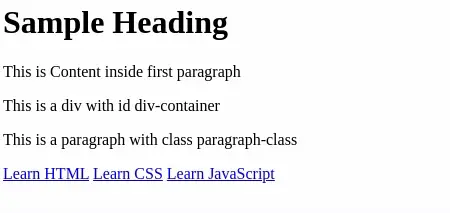
CSS セレクターは、スタイリッシュな Web ページのバックボーンです。ページ上の HTML 要素をターゲットにし、ID、クラス、タイプ、属性などに基づいてスタイルを追加できるようにします。このガイドでは、CSS セレクターの複雑さと、Web ページの美しさとユーザー エクスペリエンスを向上させる上での CSS セレクターの重要な役割について詳しく説明します。
CSS セレクターの種類
CSS セレクターにはさまざまなタイプがあり、それぞれに HTML 要素を選択する独自の方法があります。それらを調べてみましょう:
| CSSセレクター | 説明 |
|---|---|
| 単純なセレクター | 要素名、ID、属性などに基づいて HTML 要素を選択するために使用されます。 |
| ユニバーサルセレクター | ページ上のすべての要素を選択します。 |
| 属性セレクター | 属性値に基づいて要素をターゲットにします。 |
| 疑似クラスセレクター | 要素の状態または位置に基づいて要素を選択します。 :hover> ホバー効果用。 |
| コンビネータセレクター | セレクターを組み合わせて、子孫などの要素間の関係を指定します( > ) または子 ( >>> )。 |
| 擬似要素セレクター | 要素の特定の部分を選択します。 ::before> または ::after> 。 |
目次
単純なセレクター
単純なセレクターには以下のクラスが含まれます。
| シンプルセレクター | 説明 |
|---|---|
| 要素セレクター | タグ名に基づいて HTML 要素を選択します。 |
| IDセレクター | 特定の id 属性を持つ HTML 要素をターゲットにします。 |
| クラスセレクター | 特定のクラス属性を持つ要素を選択します。 |
例: この例では、セレクターとその使用法をよりよく理解するためにコードを作成します。
HTML CSS セレクターtitle> <link rel='stylesheet' href='style.css' />頭> <body> <h1>サンプル見出しh1> <p>これは最初の段落内のコンテンツですp> <div id='div-container'>これは ID div-container div> の div です。 <p>これはクラスparagraph-class p> body> html>>>'>の段落です。 </tag> <p dir='ltr'> <b> <strong>注記: </strong> </b> <span>上記の例に CSS ルールを適用します。 </span> </p> <h2 id='element-selector'> <b> <strong>要素セレクター </strong> </b> </h2> <p dir='ltr'> <span>の </span> <span>要素セレクター </span> <span>要素名 (またはタグ) (p、h1、div、span など) に基づいて HTML 要素を選択します。 </span> </p> <p dir='ltr'> <b> <strong>注記 : </strong> </b> <span>上記の例では次のコードが使用されています。すべてに適用されている CSS ルールを確認できます。 </span> <span> </span> </p> <p> <span>タグと </span> </p> <h1>タグ。 <p> </p> </h1> <h3> <b> <strong>CSS: </strong> </b> </h3> <pre>h1 { color: red; font-size: 3rem; } p { color: white; background-color: gray; } </pre> </code> <p dir='ltr'> <b> <strong>出力: </strong> </b> </p> <img src='//techcodeview.com/img/css-questions/50/css-selectors.webp' alt='CSS-要素セレクター-出力例'> <p>CSS 要素セレクターの出力 </p> <h2 id='id-selector'> <b> <strong>IDセレクター </strong> </b> </h2> <p dir='ltr'> <span>の </span> <b> <strong>IDセレクター </strong> </b> <span>を使用します </span> <i> <em>ID 属性 </em> </i> <span>HTML 要素の特定の要素を選択します。 </span> <b> <strong> </strong> </b> <span>アン </span> <b> <strong>ID </strong> </b> <span>要素は使用するページ上で一意です </span> <b> <strong>ID </strong> </b> <span>セレクタ。 </span> </p> <p dir='ltr'> <b> <strong>注記: </strong> </b> <span>次のコードは、ID セレクターを使用する上記の例で使用されています。 </span> </p> <h3> <b> <strong>CSS: </strong> </b> </h3> <tag data-text-3='#div-container{ color: blue; background-color: gray; } </pre> <p dir='ltr'> <b> <strong>出力: </strong> </b> </p> <img src='//techcodeview.com/img/css-questions/50/css-selectors-2.webp' alt='CSS-Id-selector-出力例'> <p>CSS ID セレクターの出力例 </p> <h2 id='class-selector'> <b> <strong>クラスセレクター </strong> </b> </h2> <p dir='ltr'> <span>の </span> <b> <strong>クラスセレクター </strong> </b> <span>特定のクラス属性を持つ HTML 要素を選択します。 </span> </p> <p dir='ltr'> <b> <strong>注記: </strong> </b> <span>次のコードは、クラス セレクターを使用する上記の例で使用されています。クラス セレクターを使用するには、CSS で ( . ) の後にクラス名を使用する必要があります。このルールは、class 属性を持つ HTML 要素に適用されます。 </span> <i> <em>段落クラス </em> </i> <span> </span> </p> <h3> <b> <strong>CSS: </strong> </b> </h3> <pre>.paragraph-class { color:white; font-family: monospace; background-color: purple; } </pre> <p dir='ltr'> <b> <strong>出力: </strong> </b> </p> <img src='//techcodeview.com/img/css-questions/50/css-selectors-3.webp' alt='CSS-クラス-セレクター-出力例'> <p>CSS クラス セレクターの出力例 </p> <h2 id='universal-selector'> <b> <strong>ユニバーサルセレクター </strong> </b> </h2> <p dir='ltr'> <span>の </span> <span>ユニバーサルセレクター </span> <span>CSS の (*) は、HTML ドキュメント内のすべての要素を選択するために使用されます。別の要素の下にある他の要素も含まれます。 </span> </p> <p dir='ltr'> <b> <strong>注記: </strong> </b> <span>次のコードは、ユニバーサル セレクターを使用する上記の例で使用されています。この CSS ルールは、ページ上のすべての HTML 要素に適用されます。 </span> </p> <h3> <b> <strong>CSS: </strong> </b> </h3> <pre>* { color: white; background-color: black; } </pre> <p dir='ltr'> <b> <strong>出力: </strong> </b> </p> <img src='//techcodeview.com/img/css-questions/50/css-selectors-4.webp' alt='CSS-Universal-Selector-Example-Output'> <p>CSS ユニバーサル セレクターの出力例 </p> <h2 id='group-selector'> <b> <strong>グループセレクター </strong> </b> </h2> <p dir='ltr'> <span>の </span> <b> <strong>グループセレクター </strong> </b> <span>は、カンマで区切られたすべての要素を同じスタイルでスタイル設定するために使用されます。 </span> </p> <p dir='ltr'> <b> <strong>注記: </strong> </b> <span>共通のスタイルをさまざまなセレクターに適用したいとします。ルールを個別に記述する代わりに、以下に示すようにルールをグループとして記述することができます。 </span> </p> <h3> <b> <strong>CSS: </strong> </b> </h3> <pre>#div-container, .paragraph-class, h1{ color: white; background-color: purple; font-family: monospace; } </pre> <p dir='ltr'> <b> <strong>出力: </strong> </b> </p> <img src='//techcodeview.com/img/css-questions/50/css-selectors-5.webp' alt='CSS グループ セレクターの出力例'> <p>CSS グループ セレクターの出力例 </p> <h2 id='attribute-selector'> <b> <strong>属性セレクター </strong> </b> </h2> <p dir='ltr'> <span>の </span> <b> <strong>属性セレクター </strong> </b> <span>[attribute] は、指定された属性または属性値を持つ要素を選択するために使用されます。 </span> </p> <p dir='ltr'> <b> <strong>注記: </strong> </b> <span>次のコードは、属性セレクターを使用する上記の例で使用されています。この CSS ルールは、ページ上のすべての HTML 要素に適用されます。 </span> </p> <h3> <b> <strong>CSS: </strong> </b> </h3> <pre>[href] { background-color: lightgreen; color: black; font-family: monospace; font-size: 1rem; } </pre> <p dir='ltr'> <b> <strong>出力: </strong> </b> </p> <img src='//techcodeview.com/img/css-questions/50/css-selectors-6.webp' alt='CSS-Attribute-Selectros-Example-Output'> <p>CSS 属性選択の出力例 </p> <h2 id='pseudoclass-selector'> <b> <strong>擬似クラスセレクター </strong> </b> </h2> <p dir='ltr'> <span>これは、任意の要素の特別なタイプの状態をスタイルするために使用されます。たとえば、マウス カーソルを要素の上に置いたときに要素のスタイルを設定するために使用されます。 </span> </p> <p dir='ltr'> <b> <strong>注記: </strong> </b> <span>次の場合には単一のコロン(:)を使用します。 </span> <span>擬似クラスセレクター </span> <span>。 </span> </p> <p dir='ltr'> <b> <strong>構文: </strong> </b> </p> <pre>Selector:Pseudo-Class { Property: Value; } </pre> <h3> <b> <strong>CSS: </strong> </b> </h3> <pre>h1:hover{ background-color: aqua; } </pre> <p dir='ltr'> <b> <strong>出力: </strong> </b> </p> <img src='//techcodeview.com/img/css-questions/50/css-selectors.webp' alt='CSS-擬似セレクター-出力例'> <p>CSS 擬似セレクターの出力例 </p> <h2 id='pseudoelement-selector'> <b> <strong>擬似要素セレクター </strong> </b> </h2> <p dir='ltr'> <span>要素の特定の部分のスタイルを設定するために使用されます。例 - 要素の最初の文字または最初の行のスタイルを設定するために使用されます。 </span> </p> <p dir='ltr'> <b> <strong>注記: </strong> </b> <span>次の場合には二重コロン(::)を使用します。 </span> <span>擬似要素セレクター </span> <span>。 </span> </p> <p dir='ltr'> <b> <strong>構文: </strong> </b> </p> <pre>Selector:Pseudo-Element{ Property:Value; } </pre> <h3> <b> <strong>CSS: </strong> </b> </h3> <pre>p::first-line{ background-color: goldenrod; } </pre> <p dir='ltr'> <b> <strong>出力: </strong> </b> </p> <img src='//techcodeview.com/img/css-questions/50/css-selectors-7.webp' alt='CSS-擬似要素セレクター-出力例'> <p>CSS 擬似要素セレクターの出力例 </p> <p dir='ltr'> <br> </p> <br> <br>
</div>
<!-- Article Footer with Prominent Share Buttons -->
<div class="px-6 md:px-8 py-8 bg-slate-50 dark:bg-slate-900/50 border-t border-slate-200 dark:border-slate-700/50">
<div class="flex flex-col sm:flex-row items-center justify-between gap-6">
<h4 class="text-base font-bold text-slate-700 dark:text-slate-300 uppercase tracking-wide flex items-center gap-2">
<i class="fa fa-share-alt text-tech-500"> </i>
共有 </h4>
<div class="flex flex-wrap justify-center gap-3">
<!-- Twitter -->
<a href="https://twitter.com/intent/tweet?text=CSSセレクター&url=https://www.techcodeview.com/ja/css-selectors"
target="_blank" rel="noopener noreferrer"
class="flex items-center gap-2 px-6 py-3 rounded-xl bg-[#1DA1F2]/10 text-[#1DA1F2] hover:bg-[#1DA1F2] hover:text-white transition-all duration-300 font-bold text-sm">
<i class="fa fa-twitter text-lg"> </i>
<span class="hidden sm:inline">Twitter </span>
</a>
<!-- Facebook -->
<a href="https://www.facebook.com/sharer/sharer.php?u=https://www.techcodeview.com/ja/css-selectors"
target="_blank" rel="noopener noreferrer"
class="flex items-center gap-2 px-6 py-3 rounded-xl bg-[#4267B2]/10 text-[#4267B2] hover:bg-[#4267B2] hover:text-white transition-all duration-300 font-bold text-sm">
<i class="fa fa-facebook text-lg"> </i>
<span class="hidden sm:inline">Facebook </span>
</a>
<!-- LinkedIn -->
<a href="https://www.linkedin.com/shareArticle?mini=true&url=https://www.techcodeview.com/ja/css-selectors&title=CSSセレクター"
target="_blank" rel="noopener noreferrer"
class="flex items-center gap-2 px-6 py-3 rounded-xl bg-[#0077b5]/10 text-[#0077b5] hover:bg-[#0077b5] hover:text-white transition-all duration-300 font-bold text-sm">
<i class="fa fa-linkedin text-lg"> </i>
<span class="hidden sm:inline">LinkedIn </span>
</a>
</div>
</div>
</div>
</article>
<!-- Comments Placeholder / Random Articles -->
<div class="mt-8 bg-white dark:bg-slate-800 border border-slate-200 dark:border-slate-700 rounded-xl p-6 md:p-8 shadow-sm">
<h3 class="text-xl font-bold text-slate-900 dark:text-white mb-6 uppercase tracking-wide border-b border-slate-200 dark:border-slate-700 pb-2">
あなたにおすすめ </h3>
<div class="grid grid-cols-1 md:grid-cols-2 gap-6">
<div class="group">
<a href="/ja/bresenhams-line-algorithm" class="block aspect-video rounded-lg overflow-hidden bg-slate-200 dark:bg-slate-700 mb-3">
<img loading="lazy" src="https://techcodeview.com/img/computer-graphics/90/bresenhams-line-algorithm.webp" onerror="this.onerror=null; this.src='https://techcodeview.com/template/assets/images/unnamed.webp'" alt="ブレゼンハムの直線アルゴリズム" class="w-full h-full object-cover group-hover:scale-105 transition-transform duration-500">
</a>
<h4 class="font-bold text-slate-900 dark:text-white leading-tight group-hover:text-tech-500 transition-colors">
<a href="/ja/bresenhams-line-algorithm">ブレゼンハムの直線アルゴリズム </a>
</h4>
</div> <div class="group">
<a href="/ja/how-get-all-unique-values-javascript-array" class="block aspect-video rounded-lg overflow-hidden bg-slate-200 dark:bg-slate-700 mb-3">
<img loading="lazy" src="https://techcodeview.com/img/javascript-array/50/how-get-all-unique-values-javascript-array.webp" onerror="this.onerror=null; this.src='https://techcodeview.com/template/assets/images/unnamed.webp'" alt="JavaScript 配列内のすべての一意の値を取得 (重複を削除) するにはどうすればよいですか?" class="w-full h-full object-cover group-hover:scale-105 transition-transform duration-500">
</a>
<h4 class="font-bold text-slate-900 dark:text-white leading-tight group-hover:text-tech-500 transition-colors">
<a href="/ja/how-get-all-unique-values-javascript-array">JavaScript 配列内のすべての一意の値を取得 (重複を削除) するにはどうすればよいですか? </a>
</h4>
</div>
</div>
</div>
</div>
<!-- SECONDARY COLUMN (SIDEBAR) -->
<!-- Aside Column -->
<div class="lg:col-span-4 space-y-8">
<!-- Best Articles Widget -->
<div class="rounded-xl bg-white dark:bg-slate-800 border border-slate-200 dark:border-slate-700 p-6 shadow-sm">
<div class="mb-4 border-b border-slate-100 dark:border-slate-700 pb-2">
<h2 class="text-lg font-bold text-slate-900 dark:text-white uppercase tracking-wide flex items-center">
<span class="mr-2 h-2 w-2 rounded-full bg-tech-500"> </span>
トップ記事 </h2>
</div>
<!-- Owl Carousel Preserved Container -->
<div id="owl-carousel-3" class="owl-carousel owl-theme center-owl-nav">
<!-- ARTICLE -->
<article class="flex items-start gap-4 p-2 hover:bg-slate-50 dark:hover:bg-slate-700/50 rounded-lg transition-colors">
<div class="w-20 h-20 shrink-0 overflow-hidden rounded-md bg-slate-200 dark:bg-slate-700">
<a href="/ja/quantum-numbers">
<img src="https://techcodeview.com/img/atoms-ions/95/quantum-numbers.webp" onerror="this.onerror=null; this.src='https://techcodeview.com/template/assets/images/unnamed.webp'" alt="量子数" class="w-full h-full object-cover">
</a>
</div>
<div class="flex-1 min-w-0">
<h4 class="text-sm font-semibold text-slate-800 dark:text-slate-200 leading-snug">
<a href="/ja/quantum-numbers" class="hover:text-tech-500 transition-colors line-clamp-3">量子数 </a>
</h4>
</div>
</article>
<!-- /ARTICLE --> <!-- ARTICLE -->
<article class="flex items-start gap-4 p-2 hover:bg-slate-50 dark:hover:bg-slate-700/50 rounded-lg transition-colors">
<div class="w-20 h-20 shrink-0 overflow-hidden rounded-md bg-slate-200 dark:bg-slate-700">
<a href="/ja/how-open-tif-tiff-files-android">
<img src="https://techcodeview.com/img/android-tutorial/06/how-open-tif-tiff-files-android.webp" onerror="this.onerror=null; this.src='https://techcodeview.com/template/assets/images/unnamed.webp'" alt="Android で TIF または TIFF ファイルを開く方法" class="w-full h-full object-cover">
</a>
</div>
<div class="flex-1 min-w-0">
<h4 class="text-sm font-semibold text-slate-800 dark:text-slate-200 leading-snug">
<a href="/ja/how-open-tif-tiff-files-android" class="hover:text-tech-500 transition-colors line-clamp-3">Android で TIF または TIFF ファイルを開く方法 </a>
</h4>
</div>
</article>
<!-- /ARTICLE --> <!-- ARTICLE -->
<article class="flex items-start gap-4 p-2 hover:bg-slate-50 dark:hover:bg-slate-700/50 rounded-lg transition-colors">
<div class="w-20 h-20 shrink-0 overflow-hidden rounded-md bg-slate-200 dark:bg-slate-700">
<a href="/ja/verilog-case-statement">
<img src="https://techcodeview.com/img/verilog-tutorial/34/verilog-case-statement.webp" onerror="this.onerror=null; this.src='https://techcodeview.com/template/assets/images/unnamed.webp'" alt="Verilog ケース ステートメント" class="w-full h-full object-cover">
</a>
</div>
<div class="flex-1 min-w-0">
<h4 class="text-sm font-semibold text-slate-800 dark:text-slate-200 leading-snug">
<a href="/ja/verilog-case-statement" class="hover:text-tech-500 transition-colors line-clamp-3">Verilog ケース ステートメント </a>
</h4>
</div>
</article>
<!-- /ARTICLE --> <!-- ARTICLE -->
<article class="flex items-start gap-4 p-2 hover:bg-slate-50 dark:hover:bg-slate-700/50 rounded-lg transition-colors">
<div class="w-20 h-20 shrink-0 overflow-hidden rounded-md bg-slate-200 dark:bg-slate-700">
<a href="/ja/when-did-windows-7-come-out">
<img src="https://techcodeview.com/img/windows-tutorial/94/when-did-windows-7-come-out.webp" onerror="this.onerror=null; this.src='https://techcodeview.com/template/assets/images/unnamed.webp'" alt="Windows 7 はいつ登場しましたか?" class="w-full h-full object-cover">
</a>
</div>
<div class="flex-1 min-w-0">
<h4 class="text-sm font-semibold text-slate-800 dark:text-slate-200 leading-snug">
<a href="/ja/when-did-windows-7-come-out" class="hover:text-tech-500 transition-colors line-clamp-3">Windows 7 はいつ登場しましたか? </a>
</h4>
</div>
</article>
<!-- /ARTICLE --> <!-- ARTICLE -->
<article class="flex items-start gap-4 p-2 hover:bg-slate-50 dark:hover:bg-slate-700/50 rounded-lg transition-colors">
<div class="w-20 h-20 shrink-0 overflow-hidden rounded-md bg-slate-200 dark:bg-slate-700">
<a href="/ja/segmentation-fault-core-dumped-ubuntu">
<img src="https://techcodeview.com/img/linux-tutorial/90/segmentation-fault-core-dumped-ubuntu.webp" onerror="this.onerror=null; this.src='https://techcodeview.com/template/assets/images/unnamed.webp'" alt="セグメンテーション違反でコアがダンプされた Ubuntu" class="w-full h-full object-cover">
</a>
</div>
<div class="flex-1 min-w-0">
<h4 class="text-sm font-semibold text-slate-800 dark:text-slate-200 leading-snug">
<a href="/ja/segmentation-fault-core-dumped-ubuntu" class="hover:text-tech-500 transition-colors line-clamp-3">セグメンテーション違反でコアがダンプされた Ubuntu </a>
</h4>
</div>
</article>
<!-- /ARTICLE --> <!-- ARTICLE -->
<article class="flex items-start gap-4 p-2 hover:bg-slate-50 dark:hover:bg-slate-700/50 rounded-lg transition-colors">
<div class="w-20 h-20 shrink-0 overflow-hidden rounded-md bg-slate-200 dark:bg-slate-700">
<a href="/ja/linux-locate-command">
<img src="https://techcodeview.com/img/linux-unix-tools/46/linux-locate-command.webp" onerror="this.onerror=null; this.src='https://techcodeview.com/template/assets/images/unnamed.webp'" alt="Linuxのlocateコマンド" class="w-full h-full object-cover">
</a>
</div>
<div class="flex-1 min-w-0">
<h4 class="text-sm font-semibold text-slate-800 dark:text-slate-200 leading-snug">
<a href="/ja/linux-locate-command" class="hover:text-tech-500 transition-colors line-clamp-3">Linuxのlocateコマンド </a>
</h4>
</div>
</article>
<!-- /ARTICLE --> <!-- ARTICLE -->
<article class="flex items-start gap-4 p-2 hover:bg-slate-50 dark:hover:bg-slate-700/50 rounded-lg transition-colors">
<div class="w-20 h-20 shrink-0 overflow-hidden rounded-md bg-slate-200 dark:bg-slate-700">
<a href="/ja/what-is-nginx">
<img src="https://techcodeview.com/img/nginx-tutorial/68/what-is-nginx.webp" onerror="this.onerror=null; this.src='https://techcodeview.com/template/assets/images/unnamed.webp'" alt="NGINXとは何ですか?" class="w-full h-full object-cover">
</a>
</div>
<div class="flex-1 min-w-0">
<h4 class="text-sm font-semibold text-slate-800 dark:text-slate-200 leading-snug">
<a href="/ja/what-is-nginx" class="hover:text-tech-500 transition-colors line-clamp-3">NGINXとは何ですか? </a>
</h4>
</div>
</article>
<!-- /ARTICLE --> <!-- ARTICLE -->
<article class="flex items-start gap-4 p-2 hover:bg-slate-50 dark:hover:bg-slate-700/50 rounded-lg transition-colors">
<div class="w-20 h-20 shrink-0 overflow-hidden rounded-md bg-slate-200 dark:bg-slate-700">
<a href="/ja/ultimate-guide-mcdonald-s-breakfast-131440">
<img src="https://techcodeview.com/img/blog/89/ultimate-guide-mcdonald-s-breakfast.webp" onerror="this.onerror=null; this.src='https://techcodeview.com/template/assets/images/unnamed.webp'" alt="マクドナルドの朝食究極ガイド: 何を注文するか" class="w-full h-full object-cover">
</a>
</div>
<div class="flex-1 min-w-0">
<h4 class="text-sm font-semibold text-slate-800 dark:text-slate-200 leading-snug">
<a href="/ja/ultimate-guide-mcdonald-s-breakfast-131440" class="hover:text-tech-500 transition-colors line-clamp-3">マクドナルドの朝食究極ガイド: 何を注文するか </a>
</h4>
</div>
</article>
<!-- /ARTICLE --> <!-- ARTICLE -->
<article class="flex items-start gap-4 p-2 hover:bg-slate-50 dark:hover:bg-slate-700/50 rounded-lg transition-colors">
<div class="w-20 h-20 shrink-0 overflow-hidden rounded-md bg-slate-200 dark:bg-slate-700">
<a href="/ja/what-is-dijkstra-s-algorithm">
<img src="https://techcodeview.com/img/dijkstra/58/what-is-dijkstra-s-algorithm.webp" onerror="this.onerror=null; this.src='https://techcodeview.com/template/assets/images/unnamed.webp'" alt="ダイクストラのアルゴリズムとは何ですか? |ダイクストラの最短経路アルゴリズムの概要" class="w-full h-full object-cover">
</a>
</div>
<div class="flex-1 min-w-0">
<h4 class="text-sm font-semibold text-slate-800 dark:text-slate-200 leading-snug">
<a href="/ja/what-is-dijkstra-s-algorithm" class="hover:text-tech-500 transition-colors line-clamp-3">ダイクストラのアルゴリズムとは何ですか? |ダイクストラの最短経路アルゴリズムの概要 </a>
</h4>
</div>
</article>
<!-- /ARTICLE --> <!-- ARTICLE -->
<article class="flex items-start gap-4 p-2 hover:bg-slate-50 dark:hover:bg-slate-700/50 rounded-lg transition-colors">
<div class="w-20 h-20 shrink-0 overflow-hidden rounded-md bg-slate-200 dark:bg-slate-700">
<a href="/ja/minimum-number-of-deletions-to-make-a-sorted-sequence">
<img src="https://techcodeview.com/img/dynamic-programming/32/minimum-number-of-deletions-to-make-a-sorted-sequence.webp" onerror="this.onerror=null; this.src='https://techcodeview.com/template/assets/images/unnamed.webp'" alt="ソートされたシーケンスを作成するための最小削除数" class="w-full h-full object-cover">
</a>
</div>
<div class="flex-1 min-w-0">
<h4 class="text-sm font-semibold text-slate-800 dark:text-slate-200 leading-snug">
<a href="/ja/minimum-number-of-deletions-to-make-a-sorted-sequence" class="hover:text-tech-500 transition-colors line-clamp-3">ソートされたシーケンスを作成するための最小削除数 </a>
</h4>
</div>
</article>
<!-- /ARTICLE -->
</div>
<!-- Categories -->
<div class="mt-8 mb-4 border-b border-slate-100 dark:border-slate-700 pb-2">
<h2 class="text-lg font-bold text-slate-900 dark:text-white uppercase tracking-wide">カテゴリ </h2>
</div>
<div class="flex flex-wrap gap-2">
<a href="/ja/blog/" class="inline-block px-3 py-1 bg-slate-100 dark:bg-slate-700 text-xs font-medium text-slate-600 dark:text-slate-300 rounded-full hover:bg-tech-500 hover:text-white transition-colors">
ブログ
</a> <a href="/ja/java-conversion/" class="inline-block px-3 py-1 bg-slate-100 dark:bg-slate-700 text-xs font-medium text-slate-600 dark:text-slate-300 rounded-full hover:bg-tech-500 hover:text-white transition-colors">
Java変換
</a> <a href="/ja/maths/" class="inline-block px-3 py-1 bg-slate-100 dark:bg-slate-700 text-xs font-medium text-slate-600 dark:text-slate-300 rounded-full hover:bg-tech-500 hover:text-white transition-colors">
数学
</a> <a href="/ja/java-collections/" class="inline-block px-3 py-1 bg-slate-100 dark:bg-slate-700 text-xs font-medium text-slate-600 dark:text-slate-300 rounded-full hover:bg-tech-500 hover:text-white transition-colors">
Java コレクション
</a> <a href="/ja/differences/" class="inline-block px-3 py-1 bg-slate-100 dark:bg-slate-700 text-xs font-medium text-slate-600 dark:text-slate-300 rounded-full hover:bg-tech-500 hover:text-white transition-colors">
違い
</a> <a href="/ja/java-string/" class="inline-block px-3 py-1 bg-slate-100 dark:bg-slate-700 text-xs font-medium text-slate-600 dark:text-slate-300 rounded-full hover:bg-tech-500 hover:text-white transition-colors">
Java文字列
</a>
</div>
<!-- Interesting Articles Widget -->
<div class="mt-8">
<div class="mb-4 border-b border-slate-100 dark:border-slate-700 pb-2">
<h2 class="text-lg font-bold text-slate-900 dark:text-white uppercase tracking-wide">興味深い記事 </h2>
</div>
<div id="owl-carousel-4" class="owl-carousel owl-theme">
<!-- ARTICLE -->
<article class="relative aspect-video rounded-lg overflow-hidden group mb-2">
<div class="absolute inset-0">
<img src="https://techcodeview.com/img/blog/28/harvard-acceptance-letter.webp" onerror="this.onerror=null; this.src='https://techcodeview.com/template/assets/images/unnamed.webp'" alt="ハーバード大学の合格通知: 本物と公式" class="w-full h-full object-cover group-hover:scale-105 transition-transform duration-500">
<div class="absolute inset-0 bg-gradient-to-t from-black/80 to-transparent"> </div>
</div>
<div class="absolute bottom-0 left-0 p-4">
<div class="text-xs text-tech-400 font-bold mb-1"> <a href="/ja/blog/">ブログ </a> </div>
<h4 class="text-sm font-bold text-white leading-tight"> <a href="/ja/harvard-acceptance-letter-1311338">ハーバード大学の合格通知: 本物と公式 </a> </h4>
</div>
</article>
<!-- /ARTICLE --> <!-- ARTICLE -->
<article class="relative aspect-video rounded-lg overflow-hidden group mb-2">
<div class="absolute inset-0">
<img src="https://techcodeview.com/img/php-tutorial/82/php-variables.webp" onerror="this.onerror=null; this.src='https://techcodeview.com/template/assets/images/unnamed.webp'" alt="PHP の $ 変数と $$ 変数" class="w-full h-full object-cover group-hover:scale-105 transition-transform duration-500">
<div class="absolute inset-0 bg-gradient-to-t from-black/80 to-transparent"> </div>
</div>
<div class="absolute bottom-0 left-0 p-4">
<div class="text-xs text-tech-400 font-bold mb-1"> <a href="/ja/php-tutorial/">Php チュートリアル </a> </div>
<h4 class="text-sm font-bold text-white leading-tight"> <a href="/ja/php-variables">PHP の $ 変数と $$ 変数 </a> </h4>
</div>
</article>
<!-- /ARTICLE --> <!-- ARTICLE -->
<article class="relative aspect-video rounded-lg overflow-hidden group mb-2">
<div class="absolute inset-0">
<img src="https://techcodeview.com/img/java-tutorial/81/types-classes-java.webp" onerror="this.onerror=null; this.src='https://techcodeview.com/template/assets/images/unnamed.webp'" alt="Javaのクラスの種類" class="w-full h-full object-cover group-hover:scale-105 transition-transform duration-500">
<div class="absolute inset-0 bg-gradient-to-t from-black/80 to-transparent"> </div>
</div>
<div class="absolute bottom-0 left-0 p-4">
<div class="text-xs text-tech-400 font-bold mb-1"> <a href="/ja/java-tutorial/">Java チュートリアル </a> </div>
<h4 class="text-sm font-bold text-white leading-tight"> <a href="/ja/types-classes-java">Javaのクラスの種類 </a> </h4>
</div>
</article>
<!-- /ARTICLE --> <!-- ARTICLE -->
<article class="relative aspect-video rounded-lg overflow-hidden group mb-2">
<div class="absolute inset-0">
<img src="https://techcodeview.com/img/algebra/99/inequalities.webp" onerror="this.onerror=null; this.src='https://techcodeview.com/template/assets/images/unnamed.webp'" alt="不平等" class="w-full h-full object-cover group-hover:scale-105 transition-transform duration-500">
<div class="absolute inset-0 bg-gradient-to-t from-black/80 to-transparent"> </div>
</div>
<div class="absolute bottom-0 left-0 p-4">
<div class="text-xs text-tech-400 font-bold mb-1"> <a href="/ja/algebra/">代数 </a> </div>
<h4 class="text-sm font-bold text-white leading-tight"> <a href="/ja/inequalities">不平等 </a> </h4>
</div>
</article>
<!-- /ARTICLE --> <!-- ARTICLE -->
<article class="relative aspect-video rounded-lg overflow-hidden group mb-2">
<div class="absolute inset-0">
<img src="https://techcodeview.com/img/css-tutorial/25/css-transition-opacity.webp" onerror="this.onerror=null; this.src='https://techcodeview.com/template/assets/images/unnamed.webp'" alt="CSS トランジションの不透明度" class="w-full h-full object-cover group-hover:scale-105 transition-transform duration-500">
<div class="absolute inset-0 bg-gradient-to-t from-black/80 to-transparent"> </div>
</div>
<div class="absolute bottom-0 left-0 p-4">
<div class="text-xs text-tech-400 font-bold mb-1"> <a href="/ja/css-tutorial/">Css チュートリアル </a> </div>
<h4 class="text-sm font-bold text-white leading-tight"> <a href="/ja/css-transition-opacity">CSS トランジションの不透明度 </a> </h4>
</div>
</article>
<!-- /ARTICLE --> <!-- ARTICLE -->
<article class="relative aspect-video rounded-lg overflow-hidden group mb-2">
<div class="absolute inset-0">
<img src="https://techcodeview.com/img/blog/51/complete-list-ib-courses.webp" onerror="this.onerror=null; this.src='https://techcodeview.com/template/assets/images/unnamed.webp'" alt="IB コースとクラスの完全なリスト" class="w-full h-full object-cover group-hover:scale-105 transition-transform duration-500">
<div class="absolute inset-0 bg-gradient-to-t from-black/80 to-transparent"> </div>
</div>
<div class="absolute bottom-0 left-0 p-4">
<div class="text-xs text-tech-400 font-bold mb-1"> <a href="/ja/blog/">ブログ </a> </div>
<h4 class="text-sm font-bold text-white leading-tight"> <a href="/ja/complete-list-ib-courses-131826">IB コースとクラスの完全なリスト </a> </h4>
</div>
</article>
<!-- /ARTICLE -->
</div>
</div>
</div>
</div>
<!-- /Aside Column --> </div>
</div>
</div>
<footer class="site-footer">
<div class="container">
<span class="footer-links">
Copyright ©2026 全著作権所有 |
<a href="//www.techcodeview.com/sk/">techcodeview.com </a> |
<a href="/disclaimer" rel="nofollow noopener noreferrer" target="_blank">免責事項 </a> |
<a href="/about-us" rel="nofollow noopener noreferrer" target="_blank">私たちについて </a> |
<a href="/privacy-policy" rel="nofollow noopener noreferrer" target="_blank">プライバシーポリシー </a>
</span>
</div>
</footer>
<script type="text/javascript" src="https://techcodeview.com/template/assets/plugins/jquery-1.11.3.min.js"> </script>
<script type="text/javascript" src="https://techcodeview.com/template/assets/plugins/bootstrap/js/bootstrap.min.js"> </script>
<script type="text/javascript" src="https://techcodeview.com/template/assets/js/main.js"> </script>
<script src="//cdnjs.cloudflare.com/ajax/libs/highlight.js/11.5.1/highlight.min.js"> </script>
<script>
!function(){"use strict";let t=document.createElement("button");t.id="toTopBtn",t.innerHTML="↑";let e=`
#toTopBtn {
position: fixed; bottom: 25px; right: 25px; z-index: 9999; opacity: 0; visibility: hidden; background-color: #0ea5e9; color: white; border: none; border-radius: 8px; width: 50px; height: 50px; font-size: 24px; cursor: pointer; transition: opacity 0.3s ease-in-out, visibility 0.3s ease-in-out;
}
#toTopBtn:hover { background-color: #0284c7; }
`,i=document.createElement("style");i.type="text/css",i.innerText=e,document.head.appendChild(i),document.body.appendChild(t),window.addEventListener("scroll",()=>{let e=window.scrollY||document.documentElement.scrollTop;e>300?(t.style.opacity="1",t.style.visibility="visible"):(t.style.opacity="0",t.style.visibility="hidden")}),t.addEventListener("click",()=>{window.scrollTo({top:0,behavior:"smooth"})})}();
</script>
</body>
</html>