Konvertovať reťazec hexadecimálnej hodnoty na reťazec hodnoty ASCII

Vzhľadom na reťazec hexadecimálnej hodnoty ako vstup je úlohou previesť daný reťazec hexadecimálnej hodnoty na zodpovedajúci reťazec formátu ASCII.
Príklady:
Vstup: 6765656b73
Výkon: geekovVstup: 6176656e67657273
Výkon: pomstitelia
Hexadecimálny alebo jednoducho Hex systém číslovania používa systém Základ 16. Keďže ide o systém Base-16, existuje 16 možných číslicových symbolov. Hexadecimálne číslo používa 16 symbolov {0, 1, 2, 4, 5, 6, 7, 8, 9, A, B, C, D, E, F} na reprezentáciu všetkých čísel. Tu (A, B, C, D, E, F) predstavuje (10, 11, 12, 13, 14, 15).
ASCII znamená Americký štandardný kód pre výmenu informácií . ASCII je štandard, ktorý priraďuje písmená, čísla a iné znaky v rámci 256 slotov dostupných v 8-bitovom kóde. Napr. malé písmeno h (Char) má desiatkovú hodnotu 104, čo je 01101000 v binárnej sústave a 68 v šestnástkovej sústave.
Algoritmus:
- Inicializujte konečný ascii reťazec ako prázdny.
- Extrahujte prvé dva znaky z hexadecimálneho reťazca prijatého ako vstup.
- Preveďte ho na základné 16 celé číslo.
- Preneste toto celé číslo na znak, ktorý je ekvivalentom ASCII 2 hex hex.
- Pridajte tento znak do posledného reťazca.
- Extrahujte ďalšie dva znaky z hexadecimálneho reťazca a prejdite na krok 3.
- Ak chcete extrahovať všetky znaky z hexadecimálneho reťazca, postupujte podľa týchto krokov.

Implementácia:
C++
// C++ program to convert hexadecimal> // string to ASCII format string> #include> using> namespace> std;> string hexToASCII(string hex)> {> > // initialize the ASCII code string as empty.> > string ascii => ''> ;> > for> (> size_t> i = 0; i { // extract two characters from hex string string part = hex.substr(i, 2); // change it into base 16 and // typecast as the character char ch = stoul(part, nullptr, 16); // add this char to final ASCII string ascii += ch; } return ascii; } // Driver Code int main() { // print the ASCII string. cout < < hexToASCII('6765656b73') < < endl; return 0; } // This code is contributed by // sanjeev2552> |
Java
// Java program to convert hexadecimal> // string to ASCII format string> import> java.util.Scanner;> public> class> HexadecimalToASCII {> > public> static> String hexToASCII(String hex)> > {> > // initialize the ASCII code string as empty.> > String ascii => ''> ;> > for> (> int> i => 0> ; i 2) { // extract two characters from hex string String part = hex.substring(i, i + 2); // change it into base 16 and typecast as the character char ch = (char)Integer.parseInt(part, 16); // add this char to final ASCII string ascii = ascii + ch; } return ascii; } public static void main(String[] args) { // print the ASCII string. System.out.println(hexToASCII('6765656b73')); } }> |
Python3
# Python3 program to convert hexadecimal> # string to ASCII format string> def> hexToASCII(hexx):> > # initialize the ASCII code string as empty.> > ascii> => ''> > for> i> in> range> (> 0> ,> len> (hexx),> 2> ):> > # extract two characters from hex string> > part> => hexx[i : i> +> 2> ]> > # change it into base 16 and> > # typecast as the character> > ch> => chr> (> int> (part,> 16> ))> > # add this char to final ASCII string> > ascii> +> => ch> > > return> ascii> # Driver Code> if> __name__> => => '__main__'> :> > # print the ASCII string.> > print> (hexToASCII(> '6765656b73'> ))> # This code is contributed by> # sanjeev2552> |
C#
// C# program to convert hexadecimal> // string to ASCII format string> using> System;> class> GFG> {> > public> static> String hexToASCII(String hex)> > {> > // initialize the ASCII code string as empty.> > String ascii => ''> ;> > for> (> int> i = 0; i { // extract two characters from hex string String part = hex.Substring(i, 2); // change it into base 16 and // typecast as the character char ch = (char)Convert.ToInt32(part, 16);; // add this char to final ASCII string ascii = ascii + ch; } return ascii; } // Driver Code public static void Main(String[] args) { // print the ASCII string. Console.WriteLine(hexToASCII('6765656b73')); } } // This code is contributed by PrinciRaj1992> |
Javascript
> > // JavaScript program to convert hexadecimal> > // string to ASCII format string> > function> hexToASCII(hex) {> > // initialize the ASCII code string as empty.> > var> ascii => ''> ;> > for> (> var> i = 0; i // extract two characters from hex string var part = hex.substring(i, i + 2); // change it into base 16 and // typecast as the character var ch = String.fromCharCode(parseInt(part, 16)); // add this char to final ASCII string ascii = ascii + ch; } return ascii; } // Driver Code // print the ASCII string. document.write(hexToASCII('6765656b73'));> |
Výkon
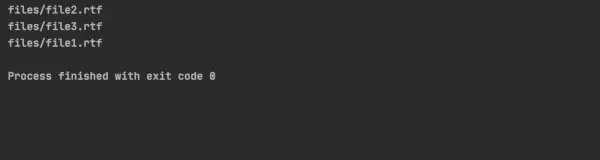
geeks
Časová zložitosť : O(N), kde N je dĺžka daného reťazca
Pomocný priestor : O(N)
Prístup 2: Používanie bitových operácií:
Tento prístup spočíva v použití bitových operácií na priamu konverziu hexadecimálneho reťazca na reťazec ASCII. V tomto prístupe by sme začali konverziou hexadecimálneho reťazca na sériu bajtov. Môžeme to urobiť iteráciou cez reťazec a prevedením každého páru hexadecimálnych číslic na bajt. Keď máme bajty, môžeme použiť bitové operácie na ich konverziu na znaky v reťazci ASCII.
V tejto implementácii používame reťazec na vytvorenie reťazca ASCII. Iterujeme cez hexadecimálny reťazec a konvertujeme každý pár hexadecimálnych číslic na bajt pomocou stoi. Potom pripojíme bajt k stringstreamu. Nakoniec vrátime obsah stringstream ako ASCII reťazec.
Tu je kód tohto prístupu:
C++
#include> using> namespace> std;> string hexToASCII(std::string hex) {> > stringstream ss;> > for> (> size_t> i = 0; i unsigned char byte =stoi(hex.substr(i, 2), nullptr, 16); ss < < byte; } return ss.str(); } int main() { string hexString = '6765656b73'; string asciiString = hexToASCII(hexString); cout < < asciiString < < endl; return 0; }> |
Java
import> java.util.*;> public> class> HexToASCII {> > public> static> String hexToASCII(String hex) {> > StringBuilder sb => new> StringBuilder();> > for> (> int> i => 0> ; i 2) { String str = hex.substring(i, i + 2); char ch = (char) Integer.parseInt(str, 16); sb.append(ch); } return sb.toString(); } public static void main(String[] args) { String hexString = '6765656b73'; String asciiString = hexToASCII(hexString); System.out.println(asciiString); } }> |
Python3
def> hex_to_ascii(hex_str):> > ascii_str> => ''> > for> i> in> range> (> 0> ,> len> (hex_str),> 2> ):> > byte> => int> (hex_str[i:i> +> 2> ],> 16> )> > ascii_str> +> => chr> (byte)> > return> ascii_str> # Driver code> hex_string> => '6765656b73'> ascii_string> => hex_to_ascii(hex_string)> print> (ascii_string)> |
C#
using> System;> using> System.Text;> public> class> Program> {> > public> static> string> HexToASCII(> string> hex)> > {> > StringBuilder sb => new> StringBuilder();> > for> (> int> i = 0; i { byte b = Convert.ToByte(hex.Substring(i, 2), 16); sb.Append((char)b); } return sb.ToString(); } public static void Main() { string hexString = '6765656b73'; string asciiString = HexToASCII(hexString); Console.WriteLine(asciiString); } } // This code is contributed by Prajwal Kandekar> |
Javascript
// Javascript code addition> function> hexToASCII(hex) {> > let sb => ''> ;> > for> (let i = 0; i let str = hex.substring(i, i + 2); let ch = String.fromCharCode(parseInt(str, 16)); sb += ch; } return sb; } let hexString = '6765656b73'; let asciiString = hexToASCII(hexString); console.log(asciiString); // The code is contributed by Nidhi goel.> |
Výkon
geeks
Časová zložitosť: O(n), kde N je dĺžka daného reťazca
Pomocný priestor: O(n)