Java.io.PipedOutputStream-klasse i Java
Java.io.PipedInputStream-klassen i Java
Rør i IO gir en kobling mellom to tråder som kjører i JVM samtidig. Så rør brukes både som kilde eller destinasjon.
- PipedInputStream er også koblet til PipedOutputStream. Så data kan skrives ved hjelp av PipedOutputStream og kan skrives ved hjelp av PipedInputStream. Men å bruke begge trådene samtidig vil skape en deadlock for trådene.
- PipedOutputStream sender slutten av røret. Data skrives til PipedOutputStream. Røret sies å være ødelagt hvis PipedInputStream som leste dataene ikke er mer.
Erklæring:
 public class PipedOutputStream
  extends OutputStream
     Konstruktør:
- PipedOutputStream() : oppretter en PipedOutputStream som den ikke er tilkoblet.
- PipedOutputStream(PipedOutputStream inStream): oppretter en PipedOutputStream som den
er koblet til PipedInputStream - 'inStream'.
Metoder:
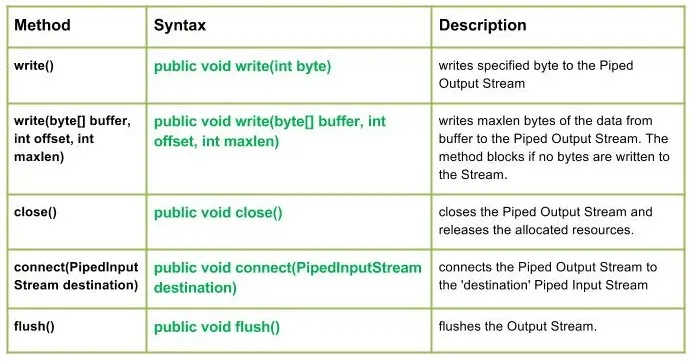
write() : java.io.PipedOutputStream.write(int byte) skriver en spesifisert byte til Piped Output Stream.
Syntaks:
public void write(int byte)
Parameters :
byte : byte to be written
Return : void
Exception :
-> IOException : if in case IO error occurs.write(byte[] buffer int offset int maxlen): java.io.PipedOutputStream.write(byte[] buffer int offset int maxlen) skriver maxlen bytes av dataene fra bufferen til den rørbaserte utgangsstrømmen. Metoden blokkerer hvis ingen byte skrives til strømmen.
Syntaks:
public void write(byte[] buffer int offset int maxlen)
Parameters :
buffer : data of the buffer
offset : starting in the destination array - 'buffer'.
maxlen : maximum length of array to be read
Return : void
Exception :
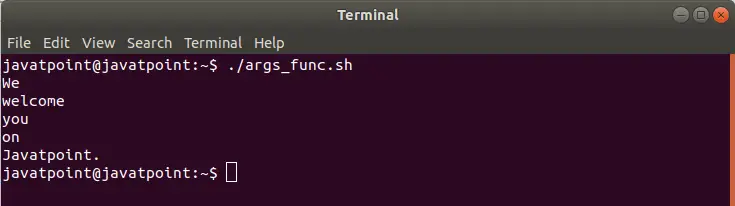
-> IOException : if in case IO error occurs. JavaProduksjon:
Use of write(buffer offset maxlen) : J A V A
- close() : java.io.PipedOutputStream.close() lukker Piped Output Stream og frigjør de tildelte ressursene.
Syntaks:
 public void close()
    Parameters :
 --------------
    Return :
 void
    Exception :
 ->      IOException :     if in case IO error occurs.
- connect(PipedInputStream-destinasjon): java.io.PipedOutputStream.connect(PipedInputStream-destinasjon kobler Piped Output Stream til 'destinasjon' Piped Input Stream og i tilfelle 'destinasjon' er rør med et annet stream IO-unntak blir kastet
Syntaks:
 public void connect(PipedInputStream destination)
    Parameters :
 destination : the Piped Input Stream to be connected to
    Return :
 void
    Exception :
 ->      IOException :     if in case IO error occurs.
- flush() : java.io.PipedOutputStream.flush() skyller utgangsstrømmen.
Syntaks:
public void flush()
Parameters :
------------
Return :
void
Exception :
-> IOException : if in case IO error occurs.
Java-kode som illustrerer hvordan PipedOutputStream-klassemetodene fungerer:
JavaProduksjon:
Use of flush() method :
G E E K S
Closing the Output stream
Lag quiz