Python While ループ

パイソン While ループ 指定された条件が満たされるまで、ステートメントのブロックを繰り返し実行するために使用されます。条件が false になると、プログラム内のループの直後の行が実行されます。
Python の while ループの構文
while expression: statement(s)
Python Whileループのフローチャート

While ループは次のカテゴリに分類されます。 無限の反復 。無限の反復とは、ループの実行回数が事前に明示的に指定されていないことを意味します。
ステートメントは、プログラミング構造がコードの単一ブロックの一部であるとみなされた後、同じ数の文字スペースによってインデントされたすべてのステートメントを表します。 Python はステートメントをグループ化する方法としてインデントを使用します。 while ループが実行されると、最初に expr がブール コンテキストで評価され、それが true の場合、ループ本体が実行されます。次に、expr が再度チェックされ、それでも true であれば本体が再度実行され、式が false になるまでこれが続きます。
との差 PythonのForループ とPython Whileループ
Python For ループと Python While ループの主な違いは、Python for ループは通常、反復回数が 1 の場合に使用されることです。 知られている 、一方、Python の while ループは、反復回数が次の場合に使用されます。 未知
Python While ループ
この例では、カウンタ変数 (count) が 3 未満である限り、while の条件は True になります。
パイソン
# Python program to illustrate> # while loop> count> => 0> while> (count <> 3> ):> > count> => count> +> 1> > print> (> 'Hello Geek'> )> |
出力
Hello Geek Hello Geek Hello Geek
Pythonの無限whileループ
ここで、条件の値は常に True です。したがって、ループの本体はメモリがいっぱいになるまで無限に実行されます。
パイソン
age> => 28> > # the test condition is always True> while> age>>> 19> :> > print> (> 'Infinite Loop'> )> |
Python の制御ステートメントと例
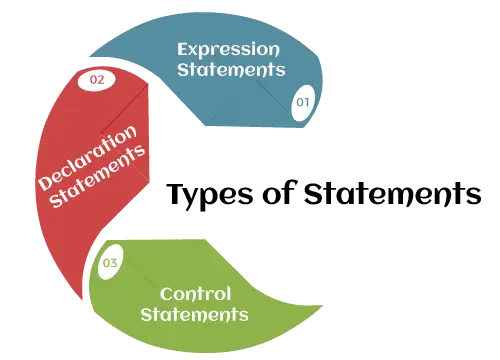
ループ制御ステートメントは、通常のシーケンスから実行を変更します。実行がスコープを離れると、そのスコープ内で作成されたすべての自動オブジェクトが破棄されます。 Python は次の制御ステートメントをサポートしています。
continue ステートメントを含む Python while ループ
パイソン ステートメントを継続する 制御をループの先頭に戻します。
パイソン
# Prints all letters except 'e' and 's'> i> => 0> a> => 'geeksforgeeks'> > while> i <> len> (a):> > if> a[i]> => => 'e'> or> a[i]> => => 's'> :> > i> +> => 1> > continue> > > print> (> 'Current Letter :'> , a[i])> > i> +> => 1> |
出力
Current Letter : g Current Letter : k Current Letter : f Current Letter : o Current Letter : r Current Letter : g Current Letter : k
Break ステートメントを含む Python while ループ
パイソン ブレークステートメント 制御をループから外します。
パイソン
# break the loop as soon it sees 'e'> # or 's'> i> => 0> a> => 'geeksforgeeks'> > while> i <> len> (a):> > if> a[i]> => => 'e'> or> a[i]> => => 's'> :> > i> +> => 1> > break> > > print> (> 'Current Letter :'> , a[i])> > i> +> => 1> |
出力
Current Letter : g
pass ステートメントを含む Python while ループ
空のループを記述する Python pass ステートメント。 Pass は、空の制御ステートメント、関数、クラスにも使用されます。
パイソン
# An empty loop> a> => 'geeksforgeeks'> i> => 0> > while> i <> len> (a):> > i> +> => 1> > pass> > print> (> 'Value of i :'> , i)> |
出力
Value of i : 13
else を使用した while ループ
上で説明したように、while ループは条件が満たされるまでブロックを実行します。条件が false になると、ループの直後のステートメントが実行されます。 else 句は、while 条件が false になった場合にのみ実行されます。ループから抜け出すか、例外が発生した場合、そのループは実行されません。
注記: for/while の直後の else ブロックは、ループが Break ステートメントで終了していない場合にのみ実行されます。
パイソン
# Python program to demonstrate> # while-else loop> > i> => 0> while> i <> 4> :> > i> +> => 1> > print> (i)> else> :> # Executed because no break in for> > print> (> 'No Break
'> )> > i> => 0> while> i <> 4> :> > i> +> => 1> > print> (i)> > break> else> :> # Not executed as there is a break> > print> (> 'No Break'> )> |
出力
1 2 3 4 No Break 1
センチネル制御ステートメント
ここでは、ループが何回実行されるかわからないため、カウンタ変数は使用しません。ここでユーザーはループを何回実行するかを決定します。このために、センチネル値を使用します。センチネル値は、ユーザーがループに入ると必ずループを終了するために使用される値です。通常、センチネル値は -1 です。
ユーザー入力を使用した Python while ループ
ここでは、まずユーザーに数字の入力を求めます。ユーザーが -1 を入力すると、ループは実行されません。
- ユーザーが 6 を入力すると、ループの本体が実行され、再び入力を求められます。
- ここでユーザーは、-1 を入力してループを停止するまで、何度でも入力できます。
- ユーザーは入力を何回行うかを決定できます
パイソン
a> => int> (> input> (> 'Enter a number (-1 to quit): '> ))> > while> a !> => -> 1> :> > a> => int> (> input> (> 'Enter a number (-1 to quit): '> ))> |
出力:
出力画面イメージ
ブール値を使用した While ループ
while ループでのブール値の一般的な使用法の 1 つは、ループ内の何らかの条件に基づいてのみ終了できる無限ループを作成することです。
例 :
この例では、カウンターを初期化し、無限 while ループ (True は常に true) を使用してカウンターをインクリメントし、その値を出力します。カウンタが特定の値に達したかどうかを確認し、到達した場合は、break ステートメントを使用してループを終了します。
パイソン
# Initialize a counter> count> => 0> > # Loop infinitely> while> True> :> > # Increment the counter> > count> +> => 1> > print> (f> 'Count is {count}'> )> > > # Check if the counter has reached a certain value> > if> count> => => 10> :> > # If so, exit the loop> > break> > # This will be executed after the loop exits> print> (> 'The loop has ended.'> )> |
出力
Count is 1 Count is 2 Count is 3 Count is 4 Count is 5 Count is 6 Count is 7 Count is 8 Count is 9 Count is 10 The loop has ended.
Python リストを使用した Python while ループ
この例では、リストに要素が存在するまで実行される while ループをリストに対して実行しています。
パイソン
# checks if list still> # contains any element> a> => [> 1> ,> 2> ,> 3> ,> 4> ]> > while> a:> > print> (a.pop())> |
出力
4 3 2 1
単一ステートメント while ブロック
if ブロックと同様に、while ブロックが 1 つのステートメントで構成されている場合は、ループ全体を 1 行で宣言できます。ループ本体を構成するブロック内に複数のステートメントがある場合は、セミコロン (;) で区切ることができます。
パイソン
# Python program to illustrate> # Single statement while block> count> => 0> while> (count <> 5> ):> > count> +> => 1> > print> (> 'Hello Geek'> )> |
出力
Hello Geek Hello Geek Hello Geek Hello Geek Hello Geek
Python While ループの演習問題
以下は、Python の while ループに関する 2 つの練習問題です。バウンドボールプログラムとカウントダウンプログラムに基づいた 2 つの重要な練習問題を取り上げました。
Q1. バウンドボール問題に基づいた while ループ演習問題
パイソン
initial_height> => 10> bounce_factor> => 0.5> height> => initial_height> while> height>>> 0.1> :> > print> (> 'The ball is at a height of'> , height,> 'meters.'> )> > height> *> => bounce_factor> print> (> 'The ball has stopped bouncing.'> )> |
出力
The ball is at a height of 10 meters. The ball is at a height of 5.0 meters. The ball is at a height of 2.5 meters. The ball is at a height of 1.25 meters. The ball is at a height of 0.625 meters. The ball is at a height of 0.3125 meters. The ball is at a height of 0.15625 meters. The ball has stopped bouncing.
Q2. カウントダウン クロックを構築するためのシンプルな while ループ演習コード
パイソン
countdown> => 10> while> countdown>>> 0> :> > print> (countdown)> > countdown> -> => 1> print> (> 'Blast off!'> )> |
出力
10 9 8 7 6 5 4 3 2 1 Blast off!