C での単純なアニメーション (Revolution) 用の OpenGL プログラム
OpenGL は、2D および 3D ベクター グラフィックスをレンダリングするための、言語を超えたクロスプラットフォーム API です。これを使用すると、アニメーションだけでなくさまざまなデザインを作成できます。以下は、を使用して作成された簡単なアニメーションです OpenGL 。
アプローチ :
画像を動かすには、表示に使用される関数の動作手順を理解する必要があります。 glClear(GL_COLOR_BUFFER_BIT) 。そのタスクは、一定時間後 (通常は 1/30 秒または 1/60 秒後) にデフォルト値で画面をクリアすることです。したがって、人間の目は 1/16 秒離れた画像のみを識別できるため (視覚の持続性)、座標の変更が発生すると、それが動いているように見えます。
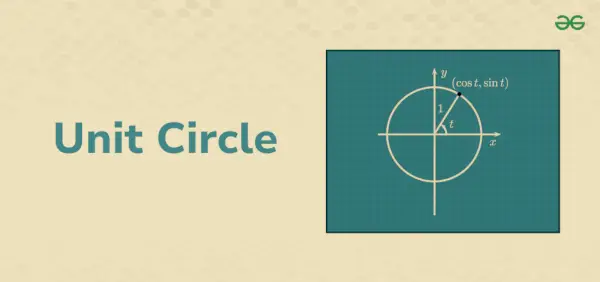
ここで、円の座標は X = r*cos(?) および Y = r*sin(?)、または楕円の場合は X = rx*cos(?) および Y = ry*cos(?) になります。ここで、rx と ry は X および Y 方向の半径であり、 ? 角度です。
違うとしたら ? 0 から 2*pi (360 度) まで、非常にわずかに増加して (たとえば 1 度)、その座標上に点を描画すると、完全な円または楕円を作成できます。開始値と終了値を変更することで、半円や任意の円弧、楕円を作成することもできます。 ? (角度)。
これらの概念は、次のアニメーションを描画するために使用されます。
- 楕円の水平部分 7 つと完全な垂直楕円 3 つ、外側の円 1 つと外側の楕円 1 つを使用して、調整によって描かれた軌道を視覚化します。 ? 半径も同様に。
- 縦に1本の線を引いて図形を作ります。次に、それを動かすために別のループが与えられ、j の値が非常にわずかに変化して動きをよりスムーズにします。
- 図形をまとめるためにすべての点を同じタイプの動きで動かす必要があるため、運動方程式は次のようになります。 Glyx2i(x/2 - 600*cos(j) の /2 - 100*sin(j)) あらゆる内部の内部に与えられます for ループ すべての点に一括して適用できるようにします。
Ubuntu オペレーティング システムで作業する場合:
gcc filename.c -lGL -lGLU -lglut -lm where filename.c is the name of the file with which this program is saved.
以下はCでの実装です。
// C Program to illustrate // OpenGL animation for revolution #include #include #include // global declaration int x y ; float i j ; // Initialization function void myInit ( void ) { // Reset background color with black (since all three argument is 0.0) glClearColor ( 0.0 0.0 0.0 1.0 ); // Set picture color to green (in RGB model) // as only argument corresponding to G (Green) is 1.0 and rest are 0.0 glColor3f ( 0.0 1.0 0.0 ); // Set width of point to one unit glPointSize ( 1.0 ); glMatrixMode ( GL_PROJECTION ); glLoadIdentity (); // Set window size in X- and Y- direction gluOrtho2D ( -780 780 -420 420 ); } // Function to display animation void display ( void ) { // Outer loop to make figure moving // loop variable j iterated up to 10000 // indicating that figure will be in motion for large amount of time // around 10000/6.29 = 1590 time it will revolve // j is incremented by small value to make motion smoother for ( j = 0 ; j < 10000 ; j += 0.01 ) { glClear ( GL_COLOR_BUFFER_BIT ); glBegin ( GL_POINTS ); // Iterate i up to 2*pi i.e. 360 degree // plot point with slight increment in angle // so it will look like a continuous figure // Loop is to draw outer circle for ( i = 0 ; i < 6.29 ; i += 0.001 ) { x = 200 * cos ( i ); y = 200 * sin ( i ); glVertex2i ( x y ); // For every loop 2nd glVertex function is // to make smaller figure in motion glVertex2i ( x / 2 - 600 * cos ( j ) y / 2 - 100 * sin ( j )); } // 7 loops to draw parallel latitude for ( i = 1.17 ; i < 1.97 ; i += 0.001 ) { x = 400 * cos ( i ); y = -150 + 300 * sin ( i ); glVertex2i ( x y ); glVertex2i ( x / 2 - 600 * cos ( j ) y / 2 - 100 * sin ( j )); } for ( i = 1.07 ; i < 2.07 ; i += 0.001 ) { x = 400 * cos ( i ); y = -200 + 300 * sin ( i ); glVertex2i ( x y ); glVertex2i ( x / 2 - 600 * cos ( j ) y / 2 - 100 * sin ( j )); } for ( i = 1.05 ; i < 2.09 ; i += 0.001 ) { x = 400 * cos ( i ); y = -250 + 300 * sin ( i ); glVertex2i ( x y ); glVertex2i ( x / 2 - 600 * cos ( j ) y / 2 - 100 * sin ( j )); } for ( i = 1.06 ; i < 2.08 ; i += 0.001 ) { x = 400 * cos ( i ); y = -300 + 300 * sin ( i ); glVertex2i ( x y ); glVertex2i ( x / 2 - 600 * cos ( j ) y / 2 - 100 * sin ( j )); } for ( i = 1.10 ; i < 2.04 ; i += 0.001 ) { x = 400 * cos ( i ); y = -350 + 300 * sin ( i ); glVertex2i ( x y ); glVertex2i ( x / 2 - 600 * cos ( j ) y / 2 - 100 * sin ( j )); } for ( i = 1.16 ; i < 1.98 ; i += 0.001 ) { x = 400 * cos ( i ); y = -400 + 300 * sin ( i ); glVertex2i ( x y ); glVertex2i ( x / 2 - 600 * cos ( j ) y / 2 - 100 * sin ( j )); } for ( i = 1.27 ; i < 1.87 ; i += 0.001 ) { x = 400 * cos ( i ); y = -450 + 300 * sin ( i ); glVertex2i ( x y ); glVertex2i ( x / 2 - 600 * cos ( j ) y / 2 - 100 * sin ( j )); } // Loop is to draw vertical line for ( i = 200 ; i >=- 200 ; i -- ) { glVertex2i ( 0 i ); glVertex2i ( -600 * cos ( j ) i / 2 - 100 * sin ( j )); } // 3 loops to draw vertical ellipse (similar to longitude) for ( i = 0 ; i < 6.29 ; i += 0.001 ) { x = 70 * cos ( i ); y = 200 * sin ( i ); glVertex2i ( x y ); glVertex2i ( x / 2 - 600 * cos ( j ) y / 2 - 100 * sin ( j )); } for ( i = 0 ; i < 6.29 ; i += 0.001 ) { x = 120 * cos ( i ); y = 200 * sin ( i ); glVertex2i ( x y ); glVertex2i ( x / 2 - 600 * cos ( j ) y / 2 - 100 * sin ( j )); } for ( i = 0 ; i < 6.29 ; i += 0.001 ) { x = 160 * cos ( i ); y = 200 * sin ( i ); glVertex2i ( x y ); glVertex2i ( x / 2 - 600 * cos ( j ) y / 2 - 100 * sin ( j )); } // Loop to make orbit of revolution for ( i = 0 ; i < 6.29 ; i += 0.001 ) { x = 600 * cos ( i ); y = 100 * sin ( i ); glVertex2i ( x y ); } glEnd (); glFlush (); } } // Driver Program int main ( int argc char ** argv ) { glutInit ( & argc argv ); // Display mode which is of RGB (Red Green Blue) type glutInitDisplayMode ( GLUT_SINGLE | GLUT_RGB ); // Declares window size glutInitWindowSize ( 1360 768 ); // Declares window position which is (0 0) // means lower left corner will indicate position (0 0) glutInitWindowPosition ( 0 0 ); // Name to window glutCreateWindow ( 'Revolution' ); // Call to myInit() myInit (); glutDisplayFunc ( display ); glutMainLoop (); }